GoDaddy: Websites & Marketing
- 4.3
- Rating
- 10.00M
- Installs
- Free
- Price

 Analysis by App-foxy
Building a small business website sounds exciting until the work becomes routine. The first afternoon is usually about choosing a design, adding a few photos, and imagining new customers finding you online. The harder question is what happens after that first burst of enthusiasm. Does the tool remain useful when opening hours change, services are updated, and you need to answer a customer from your phone?
That is the question I kept in mind while using GoDaddy: Websites & Marketing. It is a free business app from GoDaddy Operating Company, LLC, aimed at people who want to create and manage a web presence without starting with a traditional desktop website builder. It also brings domain management and business growth tools into the same general workspace. My overall impression is that it is most valuable as a practical control panel for a small operation, not as a replacement for a full professional web-development workflow.
The app has the strongest first impression when you need something online quickly. It feels directed toward action rather than toward learning web design theory. That makes it appealing to a new freelancer, a local service provider, a side-business owner, or someone who wants to manage an existing GoDaddy setup while away from a computer. The long-term value, however, depends on whether your business actually needs frequent updates and whether you are comfortable paying for extras as your requirements grow.
You May Also Like

 Blood Strike: 2.5 Anniversary
Blood Strike’s Loadouts Turn Every Drop Into a Tactical Gamble
A close look at Blood Strike’s custom loadouts: how fast access to signature weapons reshapes its battle royale rhythm, rewards preparation, and narrows the gap between fights.

 Pandora - Music & Podcasts
Pandora’s Music Is Easy to Start, but Harder to Recover
Pandora’s strength is its low-effort path from a seed to a station. Its weak spot is how much confidence it asks you to place in connection, setup, and quiet recovery.

 8 Ball Pool
 Is Built on Rivalries, Rematches, and Routine
A close look at the rivalries, rematches, shared routines, and unanswered safety questions that turn a quick pool match into a persistent mobile community.

 Samsung Music
’s Quiet Strength Is Playing What You Already Own
Its reach comes less from spectacle than from dependable access to a personal library. That simplicity is both the app’s strongest retention engine and its ceiling.

 AccuWeather: Weather Radar
AccuWeather Review: A Quick, Clear Forecast for Everyday Decisions
For everyday plans, the best forecast is the one you can understand quickly. AccuWeather makes rain timing, radar, and local conditions easy to act on, with a few trade-offs.

 Hill Climb Racing
Why Hill Climb Racing Still Turns Crashes Into One More Run
A tiny car, a bumpy hill and one more upgrade: Hill Climb Racing keeps resurfacing because its simple chaos makes every near-miss feel personal.
More From Our News Desk



What the first week feels like
During the first week, the main advantage is reduced friction. Instead of beginning with a blank technical project, I can think in terms of business tasks: present the service, show contact details, make the brand look consistent, and give visitors a clear next step. That change in perspective matters. A beginner is less likely to get trapped in questions about hosting settings or page structure before the basic business information is even visible.
The mobile format is especially useful for a person who works outside an office. A photographer can review a site after a client meeting, a cleaner can adjust service wording between jobs, and a food seller can keep contact information current without carrying a laptop. I would not describe the experience as identical to editing on a large screen, but the phone-first approach fits the reality of many small businesses: updates happen in short gaps, not during a dedicated web-production session.
One practical tip is to prepare your content before opening the editor. I get better results when I already have a short description, a clear list of services, a contact method, and a small group of consistent images. Without that preparation, it is easy to spend time changing layouts when the real problem is that the business message is still unclear. The app can help assemble a presentation, but it cannot decide which service deserves the most attention or which customer question needs answering first.
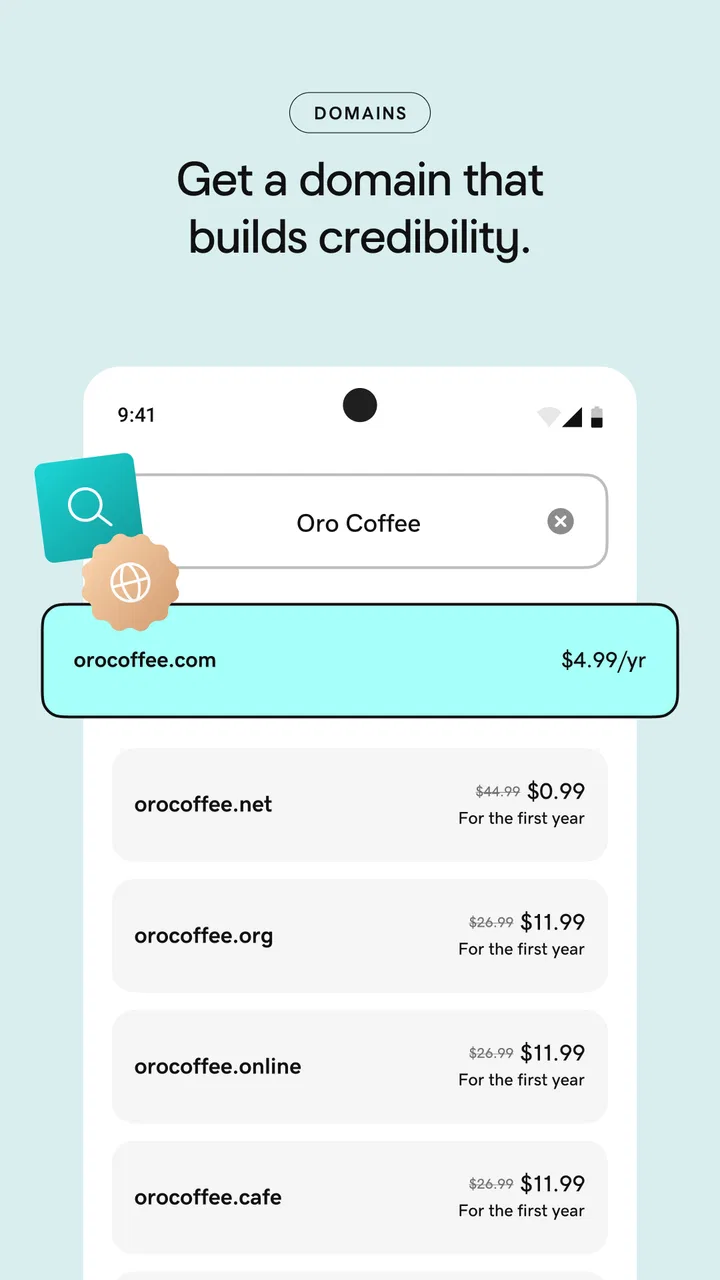
The early appeal also comes from having business-related tasks close together. Domain work and website work are naturally connected, so keeping them in the same ecosystem can remove a little administrative switching. For a first-time owner, that simplicity is meaningful. I would rather check one familiar place than remember which separate service controls the domain, which one edits the site, and which one handles a marketing task.
Still, the first-week experience can create an expectation that every later improvement will be equally quick. That is where I would slow down. A basic site can be assembled rapidly, but a useful business site needs more than attractive sections. It needs accurate information, readable wording, a sensible contact path, and regular attention. The app helps with the framework; the quality still depends heavily on the owner.
GoDaddy lists the app as suitable for Everyone, which matches its beginner-friendly purpose. It is free to install, and the broad reach is clear from its rating history: it holds a 4.4 average from around 42 thousand ratings, with more than 10 million installs. Those figures suggest that this is not a niche experiment. They do not guarantee that every business will enjoy the workflow, but they do indicate a mature product with a substantial audience.
A realistic small-business routine
Imagine I run a mobile repair service. In the first week, I can use the app to present the service area, explain what I repair, show a way to get in touch, and make sure the domain points to the right business identity. A customer who finds the site from a phone should understand within seconds what I do and how to ask for help. That is a more useful goal than trying to make the site look like a large company’s website.
After a few days, I might notice that customers repeatedly ask whether I handle a particular device or visit a certain neighborhood. That feedback becomes a maintenance list. I can revise the wording, add a clearer service detail, or adjust the contact emphasis. This is where the app becomes more than a one-time website maker: it gives a small business a reason to keep refining its public information.
My advice is to treat the first week as a publishing week, not a perfection week. Put the essential information online, check it on a phone, ask one person who does not know the business to find the contact option, and then make corrections. A site that is accurate and easy to use is more valuable than one that has been endlessly rearranged but still leaves visitors guessing.
Why the value changes after the novelty
By the second month, the question is no longer whether the app can help create a website. The question is whether it earns a place in a normal business routine. I think it can, but only when there is a recurring reason to open it. If your information almost never changes, the app may quickly become something you installed for a launch and then forgot.
The recurring value is strongest for businesses with moving parts. Seasonal services, changing menus, appointment-based work, event businesses, and freelancers who regularly update their offerings have a clear reason to revisit their online presence. In those cases, a mobile tool can turn maintenance into a small task instead of a project that waits for a free weekend.
A useful habit is to connect every update to a real customer question. If people ask about turnaround time, make that answer easier to find. If they misunderstand what you offer, rewrite the opening section. If a promotion has ended, remove it promptly. This approach prevents decorative editing and makes each visit to the app serve a business purpose.
There is also value in keeping domain management near the rest of the business setup. Domains are easy to ignore until something needs attention, and separating them from the website can make ownership and renewal details harder to remember. Having that responsibility associated with the same provider is convenient for an owner who prefers fewer accounts and fewer systems to monitor.
That convenience has a trade-off. Staying inside one provider can make the workflow feel simpler, but it may also make you less flexible if you later want a highly customized site, a different content system, or a specialized marketing stack. I see the all-in-one approach as a strength for a lean operation and a possible limitation for a business with a dedicated designer or a more complex online strategy.
The app is free, but the broader business journey may involve in-app purchases ranging from $4.99 to $69.99 per item. I would pay close attention to what I actually need before committing to an upgrade. A basic presence and a growing business are different situations. The right question is not whether an additional tool sounds useful, but whether it saves time, improves customer action, or replaces another service I already pay for.
This is one of the less obvious decisions with the app: convenience can hide duplication. If I already use a separate system for customer communication, promotion, or online selling, adding another feature inside the same provider may create overlapping work. Before upgrading, I would write down the task I want solved and compare the complete workflow, not just the feature label.
When it becomes part of a habit
I find the app more convincing when used in a short weekly check. I might review the homepage wording, confirm that contact details are still correct, remove outdated announcements, and look at the site as a customer would. That routine is small enough to maintain, yet meaningful enough to prevent the website from becoming stale.
Another good habit is to make changes immediately after a business change. When a service price, location, schedule, or booking process changes, the website should not wait until the next marketing campaign. The phone-based workflow makes that kind of correction more realistic, especially for owners who do not have a web specialist on call.
However, I would not use it as a substitute for measuring whether the site is helping. A polished page can still produce few inquiries if the offer is unclear or the audience is wrong. The app can support the presentation and maintenance side, but business results still require sensible planning, customer feedback, and attention to the channels that bring people to the site.
The maintenance burden behind the easy start
The main maintenance burden is not technical complexity; it is remembering to keep the information honest. A website with an old service description or an expired announcement can make a business look careless. GoDaddy: Websites & Marketing lowers the barrier to making changes, but that also means there is less excuse for leaving obvious errors untouched.
I recommend separating essential maintenance from optional design work. Essential work includes contact details, service descriptions, operating information, current offers, and the path a visitor uses to reach you. Optional work includes experimenting with visual arrangements or polishing sections that customers rarely see. This order keeps the app useful even when time is limited.
Mobile editing brings its own friction. A phone is convenient for short revisions, but long-form writing, careful image selection, and detailed layout decisions can feel cramped. I would use the app for quick corrections and routine management, then move to a larger screen when a substantial content session demands more concentration. The ability to work from a phone is valuable; it does not make every website task comfortable on a phone.
There is another trade-off involving consistency. Templates and guided structures can help a beginner avoid a chaotic page, but they may also make it harder to express an unusual business clearly. A standard local service can benefit from a familiar presentation. A brand with a distinctive visual identity may eventually want more control than a simplified builder is designed to provide.
The current version is 8.5.1, and the app supports devices running Android 6.0 or later. That makes it accessible to many older Android users, although the actual comfort of editing will still depend on the phone’s screen, performance, and keyboard. I would check the device experience before planning to do all website work from mobile, especially if the business depends on frequent content changes.
For someone managing several projects, the maintenance question becomes more serious. A single business site can fit into a weekly routine. Multiple sites, domains, and campaigns require stronger organization, because the convenience of one mobile dashboard can turn into a crowded list of responsibilities. In that situation, the app may still be useful, but I would want a clear naming system and a written update schedule rather than relying on memory.
What I would prepare before relying on it
Before making the app the center of my web routine, I would prepare three things. First, I would decide which information must always be visible. Second, I would create a small library of approved images and wording so that updates stay consistent. Third, I would choose a regular review day. These steps sound simple, but they prevent the common problem of opening a builder without knowing what needs changing.
I would also keep a record of the domain and business contact details somewhere secure and separate from the phone itself. The app can make management convenient, but convenience should not become dependence on one device or one remembered password. That is a general business safeguard, yet it matters more when an app gathers several important tasks in one place.
Finally, I would decide in advance what would justify paying for an additional feature. For me, the answer would need to be a clear reduction in manual work or a clear improvement in how customers reach the business. Paying simply because an option appears during setup is a poor long-term habit.
Where fatigue starts to appear
The first source of fatigue is repetition without a clear result. If I keep adjusting the site but never learn whether customers can find the right information, the work starts to feel cosmetic. The app can make editing accessible, but it cannot replace a basic content strategy. I need to know what visitors are trying to do and whether the page helps them do it.
The second source is the boundary between a simple site and a specialized one. A solo operator may be happy with a focused business presence. A growing company may need deeper customization, a more advanced content workflow, or tools built specifically around its industry. At that point, the ease of an all-in-one app can become less important than control and integration.
The third is cost awareness. The free starting point is attractive, but in-app purchases from $4.99 to $69.99 per item mean that the total setup can change as needs expand. I would not call that automatically negative; paid capabilities can be worthwhile. The important thing is to judge the complete cost against the value of the task being solved, especially if another service already covers it.
There can also be fatigue from managing a business through a small screen. Quick edits are realistic, but a long session of rewriting pages or comparing visual choices is tiring. I would skip this app as my main solution if I strongly prefer desktop design work or if the website is central to a larger brand that needs detailed control from the start.
It is also not the best fit for someone who wants to publish once and never revisit the site. A static presence can still be useful, but the main benefit here comes from keeping business information connected to ongoing management. If there is no intention to maintain the content, a more basic approach may be less distracting and easier to budget.
Compared with using separate domain management, a standalone website builder, and independent marketing tools, GoDaddy’s approach is easier to understand at the beginning. Compared with a specialized website platform or a developer-built site, it is less appealing when customization, unusual workflows, or long-term technical independence matter more than speed. I would choose it for reducing administrative friction, not for maximum creative freedom.
Small decisions that improve the long-term experience
One useful insight is to keep the homepage narrow in purpose. I would not try to list every possible service at the top. I would lead with the problem the business solves, show the most important proof or context available, and make the next contact step obvious. This makes later maintenance easier because the site has a clear center.
A second is to use updates as a record of business learning. If customers repeatedly misunderstand a phrase, that is not just a writing issue; it is evidence that the site needs a clearer explanation. Editing becomes more valuable when it responds to real conversations rather than personal taste.
A third is to separate domain decisions from design decisions. A domain is part of the business identity, while a layout can change. I would avoid changing the domain casually just because I am redesigning a page. Keeping those decisions separate protects recognition and prevents a temporary design preference from creating a larger administrative problem.
A fourth is to test the contact path after every meaningful change. It is easy to focus on appearance and forget the action the visitor needs to complete. I would ask a friend to find the contact option without instructions, then correct anything that causes hesitation. That simple test gives more practical information than another round of visual tweaking.
My long-term verdict
After the novelty fades, I think GoDaddy: Websites & Marketing earns lasting space for the right kind of owner: someone who wants a manageable business presence, prefers a connected ecosystem, and will make small updates as the business changes. Its strongest quality is not the excitement of creating a page. It is the possibility of turning website care into an ordinary mobile task.
I would recommend it to a new freelancer, a local service business, a side project that needs a credible home online, or an owner who already uses GoDaddy and wants a simpler way to stay involved. The free entry point makes it easy to explore, and the Everyone age rating reflects how broadly approachable the product is. Its established audience and current version also suggest a tool that is being maintained rather than a short-lived experiment.
I would be more cautious for a business that needs a highly distinctive design, complex content management, or a carefully integrated professional marketing system. In those cases, a specialized platform or a web professional may be a better investment from the beginning. I would also skip it if I know I will not maintain the site, because an easy editor cannot create recurring value without recurring attention.
My final recommendation is to start with one clear business goal and a maintenance schedule rather than treating the app as a one-time launch button. Build the essential presence, test it with someone unfamiliar with the business, and revisit the information when customers reveal confusion. The lasting value is in the habit of keeping the business accurate, not in the novelty of publishing a website.
That makes this a practical business app rather than a magical growth solution. It can reduce the distance between a business change and an online update, keep domain and website responsibilities close together, and give a beginner a less intimidating starting point. If those advantages match the way you work, it is worth keeping installed. If your needs have already moved beyond a simple, maintainable web presence, its convenience may no longer outweigh its limits.
FAQs for GoDaddy: Websites & Marketing
01What features does the GoDaddy: Websites & Marketing app offer?
The GoDaddy: Websites & Marketing app provides a comprehensive suite of tools for building and managing your website. Features include customizable templates, a user-friendly drag-and-drop editor, integrated marketing tools like email campaigns and SEO, and analytics to track your site's performance. It's designed to simplify online presence for businesses and individuals alike.
02Is the GoDaddy app suitable for beginners with no technical skills?
Absolutely. The GoDaddy: Websites & Marketing app is designed with beginners in mind. Its intuitive interface and step-by-step guidance make it easy to create a professional-looking website without any coding knowledge. Additionally, it offers tutorials and customer support to assist users at every stage of website creation and management.
03How does GoDaddy: Websites & Marketing support e-commerce?
The app offers robust e-commerce capabilities, allowing users to set up an online store with ease. It supports product listings, secure payment processing, inventory management, and shipping options. Additionally, it integrates with popular marketplaces and social platforms, enabling users to expand their sales channels and reach a broader audience.
04What kind of customer support does GoDaddy provide for this app?
GoDaddy provides extensive customer support for the Websites & Marketing app, including 24/7 phone support, live chat, and a comprehensive help center with articles and tutorials. Users can also access community forums for peer advice. This ensures that help is readily available whenever users encounter issues or have questions.
05Are there any limitations to using the free version of the GoDaddy app?
The free version of the GoDaddy: Websites & Marketing app offers basic features to get you started, but it has limitations compared to paid plans. These may include limited storage, fewer customization options, and the presence of GoDaddy branding on your site. For full access to advanced features like custom domains and enhanced marketing tools, upgrading to a paid plan is recommended.
Pros
- User-friendly interface for beginners.
- Integrated marketing tools available.
- Customizable templates offered.
- Reliable customer support service.
- Secure hosting with SSL included.
Cons
- Limited design flexibility for advanced users.
- Some features require additional fees.
- Occasional website speed issues reported.
- Mobile editing can be cumbersome.
- Limited e-commerce functionality.

GoDaddy: Websites & Marketing
Gallery